


|
Name |
Viggle AI |
|---|---|
|
Google Play Link |
GET IT ON
Google Play
|
|
Category |
Entertainment |
|
Developer |
WarpEngine |
| Last version | 1.5.13 |
|
Updated |
|
|
Compatible with |
Android 7.0+ |
Introduction to Viggle AI MOD APK
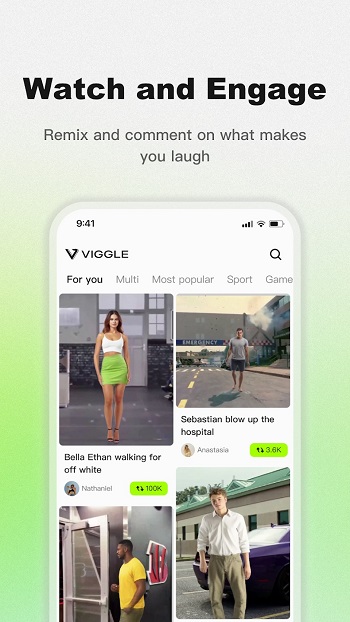
Viggle AI MOD is an AI video editing app built for turning still photos into short animated clips. It focuses on motion, lip-sync, character swaps, and trend-style video creation, so people can make funny or eye-catching posts without learning full video editing. The main idea is simple: upload a photo, pick a template or source clip, and let the app generate movement for you.
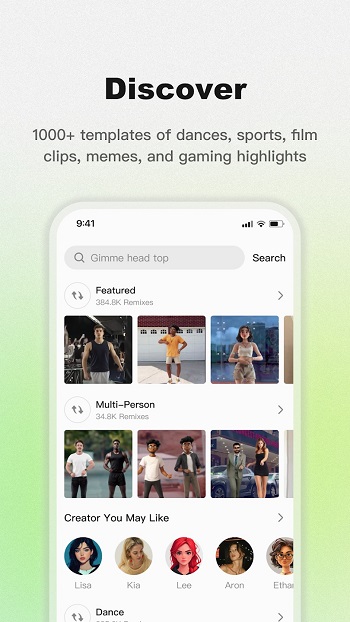
The app is mainly used for social content. People use it to place themselves into dance videos, meme scenes, sports clips, or character edits that would normally take much more time to make by hand. It also supports voice or text-based talking clips, which makes it useful for joke videos, roleplay content, reaction posts, and quick short-form edits for TikTok, YouTube Shorts, or similar platforms.
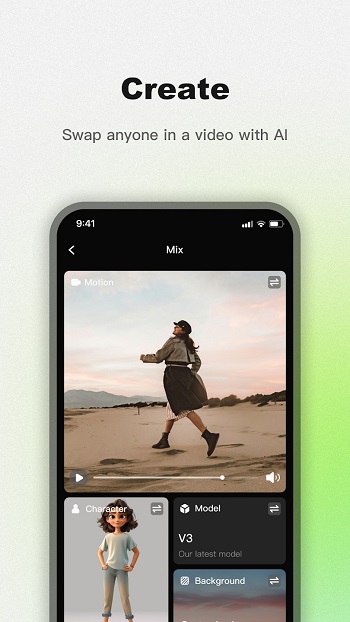
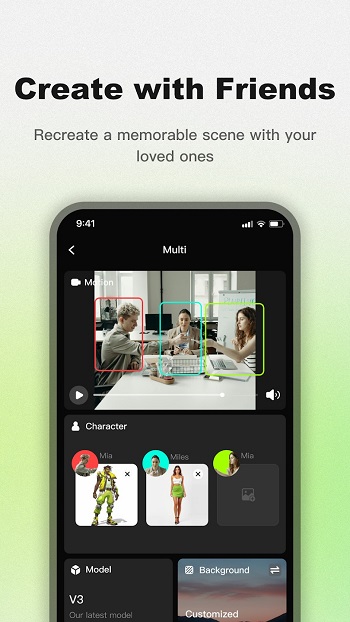
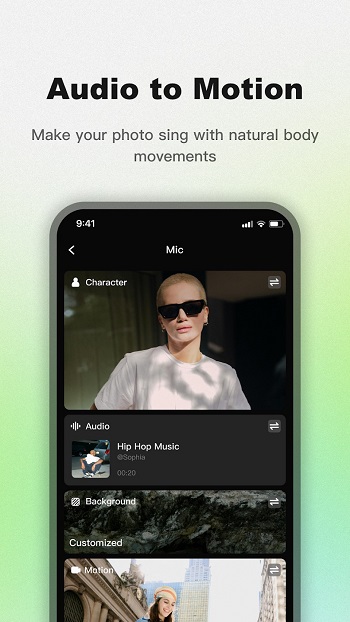
One of its most useful points is the range of creation modes. Mix lets users replace a person in a video with a single photo. Multi expands that idea to several characters in one scene. Mic and Rap focus on talking, singing, or rapping animations with lip-sync. Live adds real-time movement tracking, so a character can mirror facial expressions and body motion through the camera. That mix of tools gives users several ways to make content from one image instead of being stuck with one template style.
Viggle AI MOD also feels convenient for people who want results fast. Templates help beginners skip hard setup, and the general workflow is easy to understand even for someone who has never edited a meme video before. The app suits creators who want quick experiments, fandom edits, joke posts with friends, or weird little clips that make people stop scrolling for a second. Sometimes that is exactly the goal, and this app knows it.
There are clear strengths here. It saves time, lowers the skill barrier, and makes playful video ideas much easier to test. It can also help users who do not want to appear on camera directly, since a single image can stand in for a full performance. For creators who post often, that speed matters. One decent photo can suddenly become a dance clip, a fake performance, or a bizarre skit with almost no manual editing.
Still, it has a few limits. Results depend a lot on the quality of the uploaded image and the source motion, so some clips may look awkward or less natural than expected. Internet-based processing can also mean waiting times, and advanced tools or better output quality may depend on paid access. Users should also think carefully about privacy, permissions, and how they use someone else’s face in generated content. Funny idea, yes. Good idea every time? Not always.
Viggle AI MOD fits people who make short-form content, share memes with friends, run fan pages, or just want a quick way to animate photos for fun. It is especially useful when speed matters more than full editing control. If someone wants a polished professional editor with frame-by-frame precision, this may feel limited. If they want fast AI-made clips that are simple to create and built for social sharing, it makes a lot more sense.
FAQs Viggle AI
What is Viggle AI MOD?
+
Viggle AI MOD is an AI video editing app that turns photos into animated clips with dance, talking, lip-sync, and character swap effects.
What is Viggle AI MOD used for?
+
It is used to create short social videos, meme edits, fandom content, reaction clips, and trend-style posts from a single image or a photo plus video.
Which features stand out in Viggle AI MOD?
+
The main features include Mix for character replacement, Multi for several characters, Mic for lip-sync speech, Rap for music-style clips, and Live for real-time motion capture.
Who should use Viggle AI MOD?
+
It suits content creators, meme page admins, casual users, fandom editors, and anyone who wants fast AI video results without learning complex editing tools.
Are there any downsides to Viggle AI MOD?
+
Yes. Output quality can vary, some animations may look unnatural, advanced features may require payment, and users need to be careful with privacy and image permission.
Discover More Interesting Apps
-

Playzi TV
v1.0.12
28 MB
Updated -
Anipm
v1.0
54 MB
Updated -
Mod
La Cancha TV
v1.0.2
29 MB
Updated -
LoveNasha
v6.1.7
27.00 Mb
Updated -
Mod
VibeShort
v2.30.0
121.83 Mb
Updated -
DramaNova
v1.4.15
41.58 Mb
Updated -
Mod
Dangal Play
v2026.10.19
64 MB
Updated -
Tapmad App
v6.4.76
31.24 Mb
Updated -
Mod
NetTV
v3.9.3
66.86 Mb
Updated -
SeLeBox
v2.6.2
256.66 Mb
Updated









Share Your Thoughts